
Line Drawing Converter
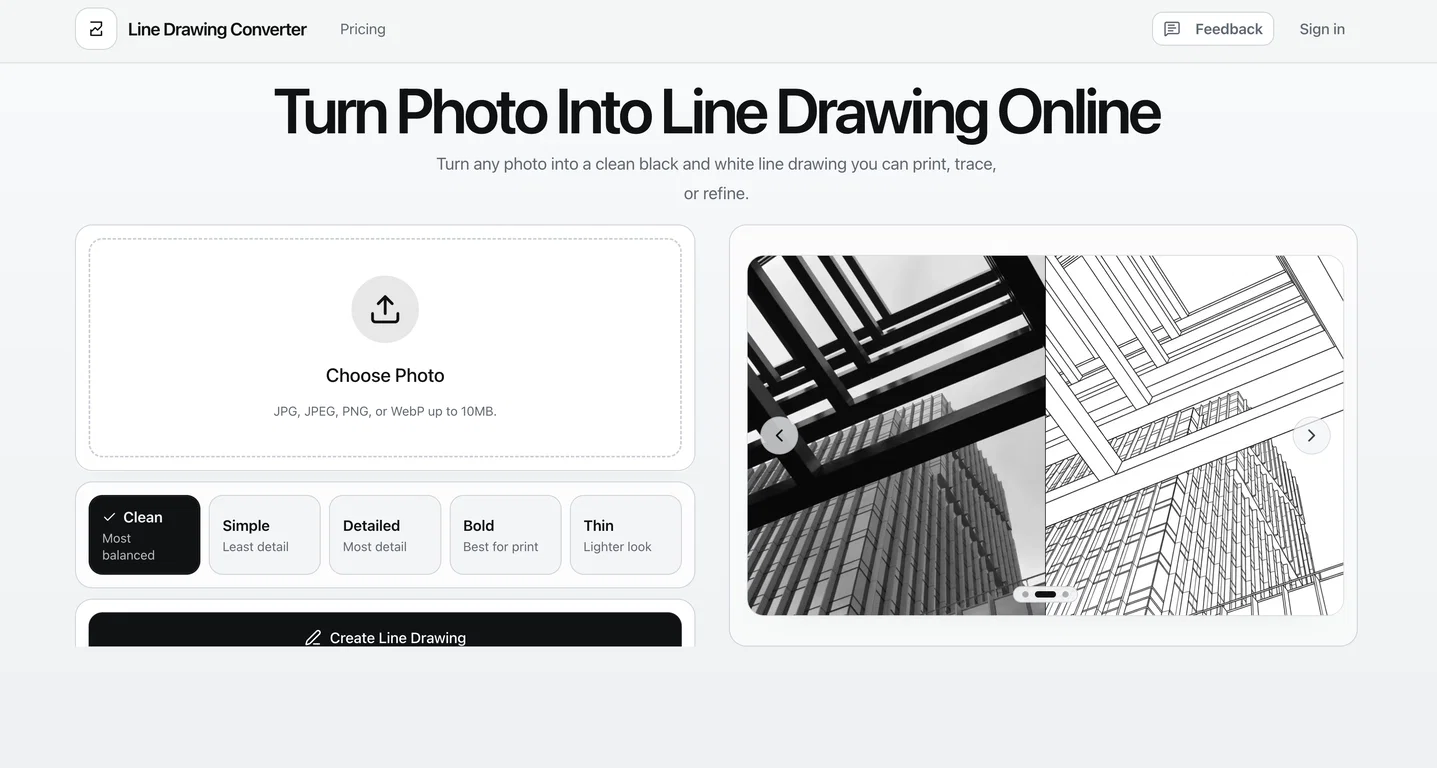
The Photo to Line Drawing Converter is a digital tool that morphs photos into black and white line drawings. It can process images in several formats including JPG, JPEG, PNG, and WebP.
The converter offers five different styles for users to choose from: clean, simple, detailed, bold, and thin. Each style is suited to different applications, such as creating print-ready files, design drafts or worksheets.
The clean mode generates balanced subject lines with tidy internal details, perfect for default portraits or reference art. The simple mode has fewer lines, creating a clearer silhouette suitable for tracing or simple coloring pages.
With the detailed mode, the converter maintains more facial, clothing, and other structural details, useful for reference sheets and architectural drawings.
The bold mode produces thicker strokes to stand out in prints or stickers. Lastly, the thin mode provides a more refined, modern linework that can be used in elegant portraits or design drafts.
Tokens can be used to generate different outcomes, which users can compare side by side to better visualise their decision. This tool goes beyond just being a simple filterit aims to simplify your image to its core elements, keeping it readable after transformation, particularly in terms of building structures, facial details, and pet features.
The intention is to provide clean, usable results, rather than a ‘noisy’ or overly stylised effect that users may need to fine-tune later.
Pros and Cons
Pros
Supports multiple file formats
Offers five different styles
Useful for various applications
Generates balanced, clean lines
Cons
No color drawing option
Limited line drawing styles
No bulk conversion feature
No real-time preview
What image formats does the Photo to Line Drawing Converter support?
The Photo to Line Drawing Converter supports several image formats including JPG, JPEG, PNG, and WebP.
How many styles does the Photo to Line Drawing Converter offer?
The Photo to Line Drawing Converter offers five different styles for users to choose from: clean, simple, detailed, bold, and thin.
What is the difference between the five styles offered by the Photo to Line Drawing Converter?
The difference among the five styles offered by the Photo to Line Drawing Converter is as follows: The ‘clean’ style generates balanced lines with tidy internal details; ‘simple’ produces a fewer number of lines creating a clear silhouette; ‘detailed’ maintains more facial, clothing and structural details; ‘bold’ mode offers thicker strokes to stand out in prints or stickers; and ‘thin’ provides a more refined, modern linework.